How To Guide:
Getting started with HearSay on WhatsApp.
Don't have WhatsApp? Follow these instructions first.
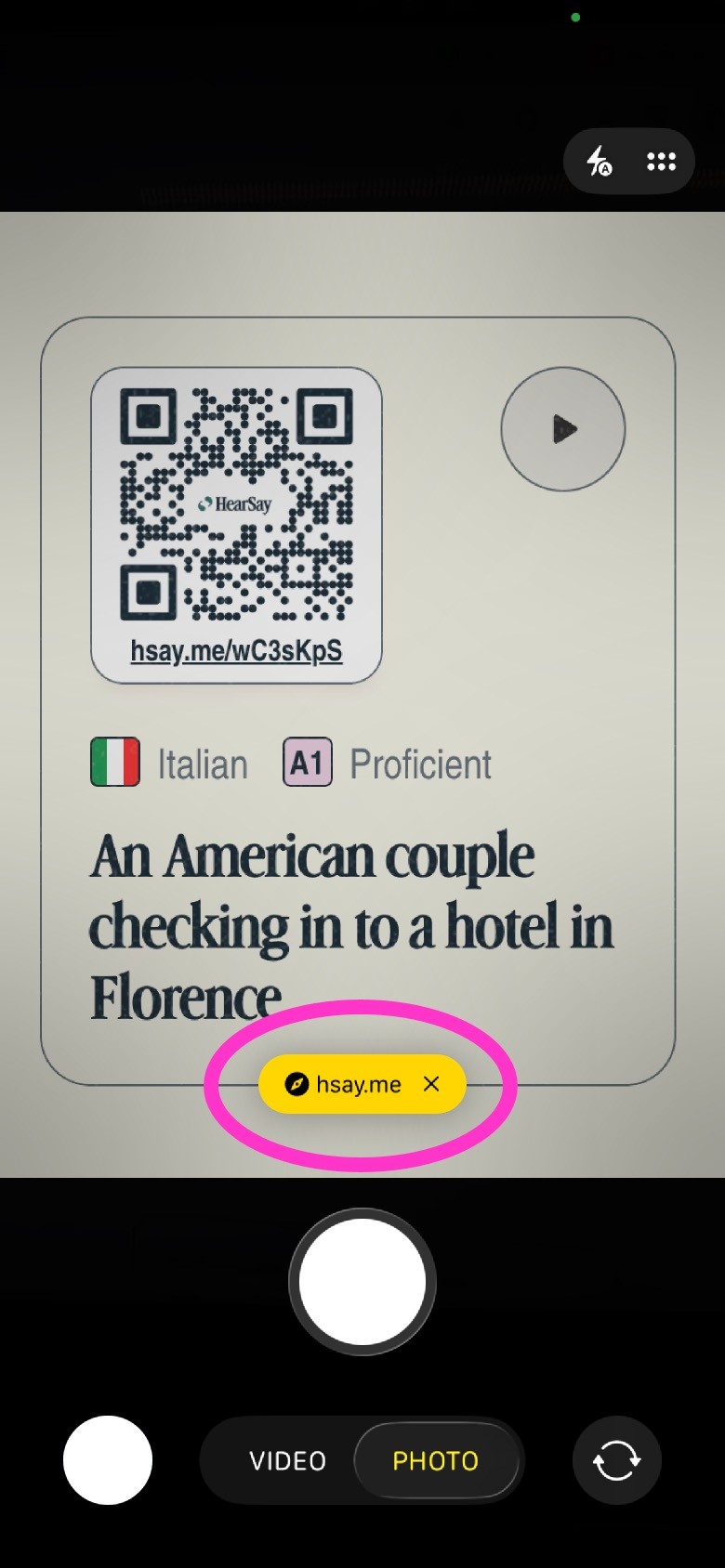
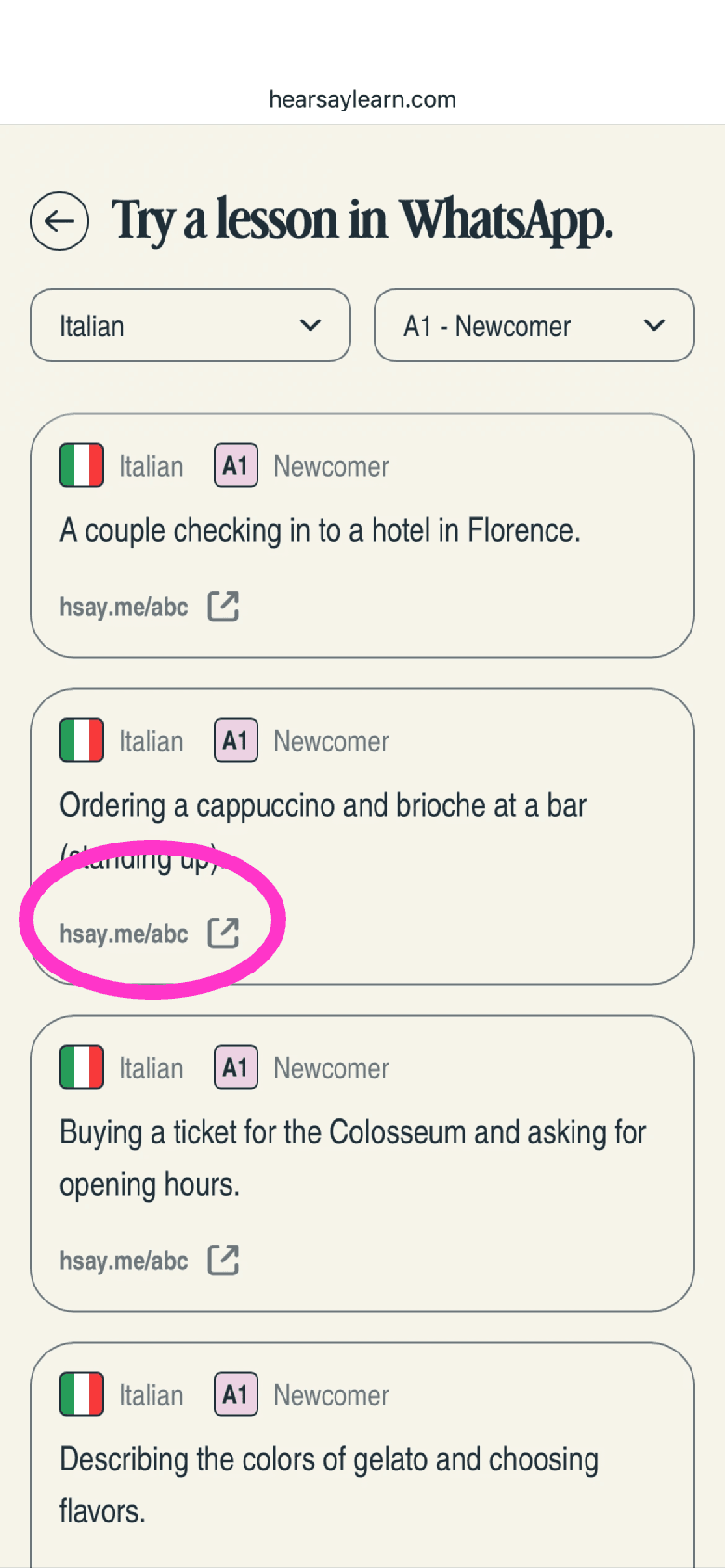
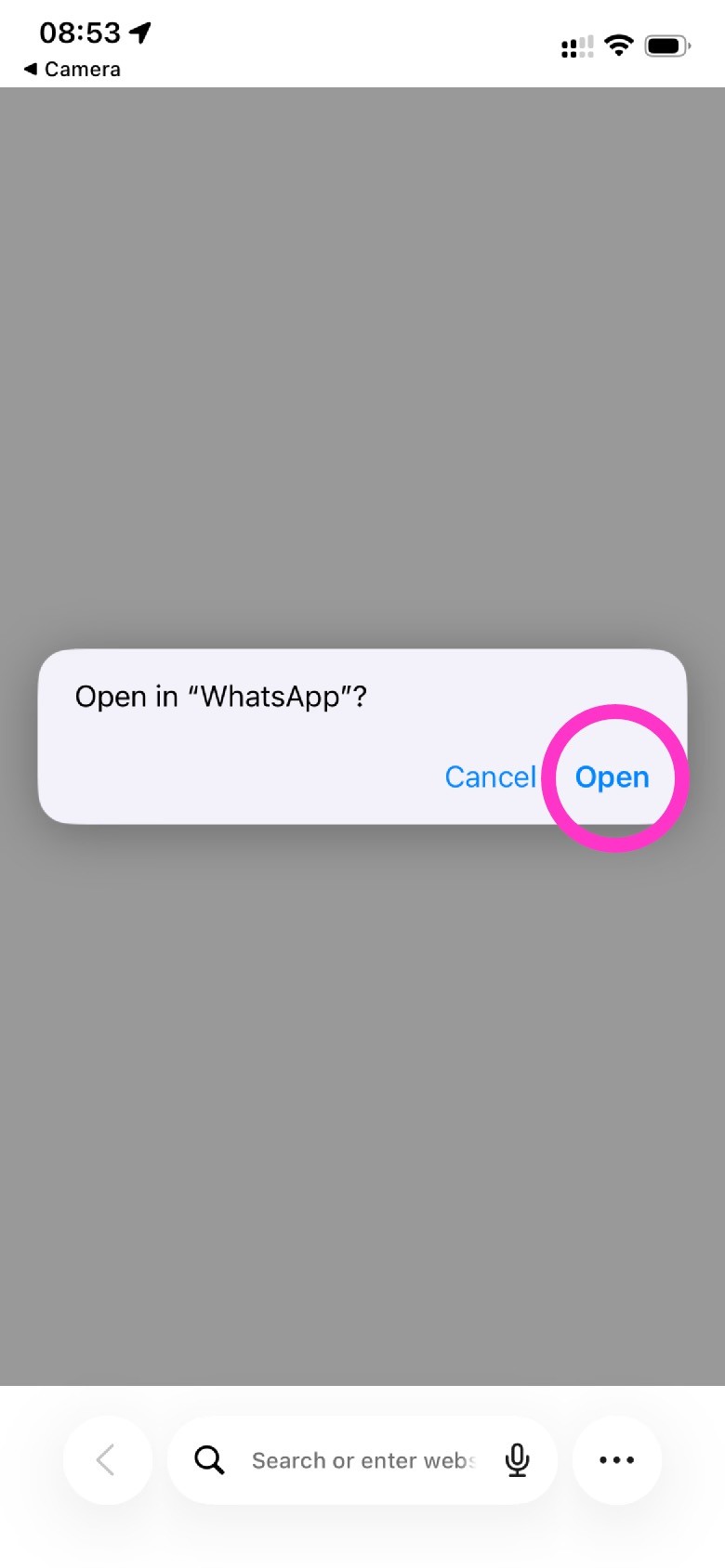
Step 2: Open WhatsApp.
A message will pop up on your screen asking if you want to open "WhatsApp."
Tap Open.
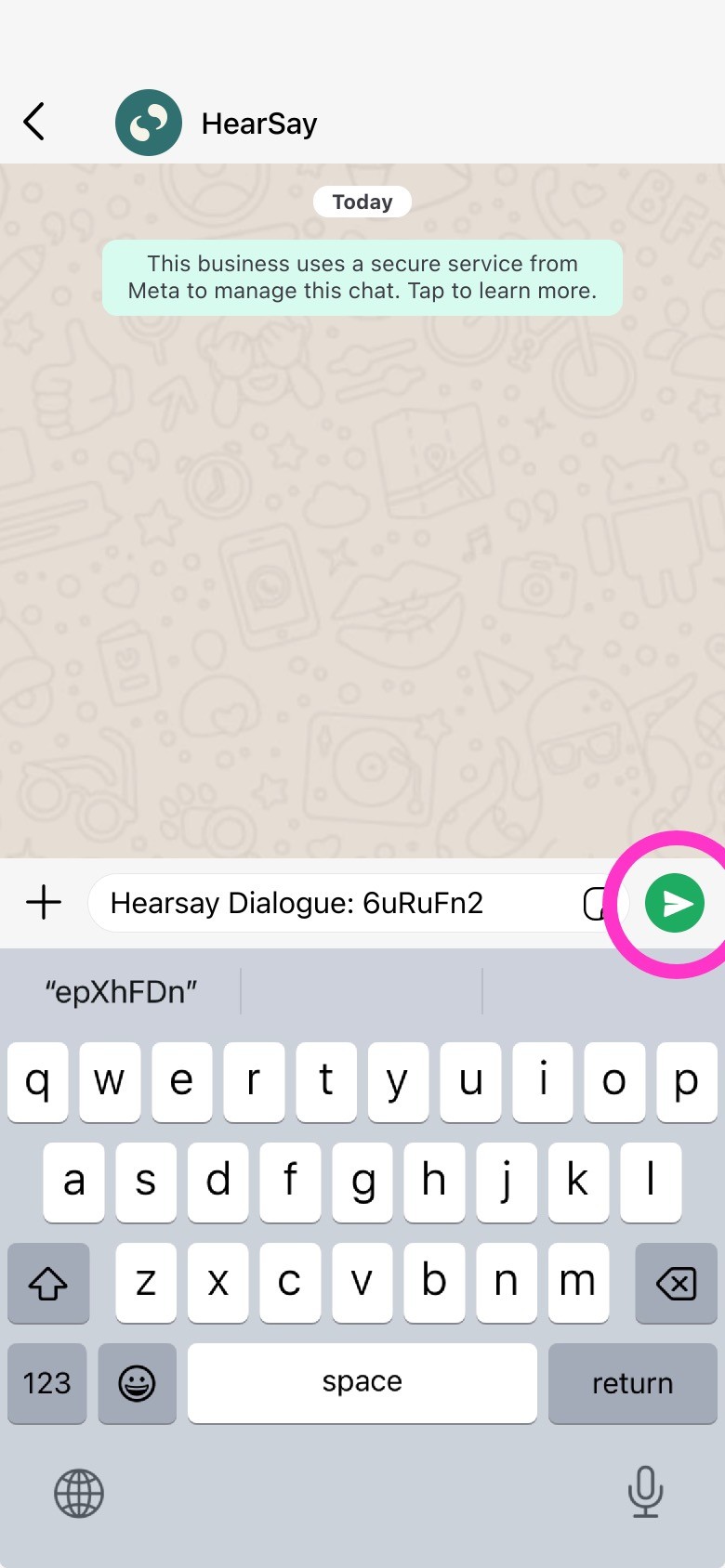
Step 3: Send the start message.
You will see a pre-filled message containing a code of letters and numbers.
Just tap the Send button (the blue or green arrow).
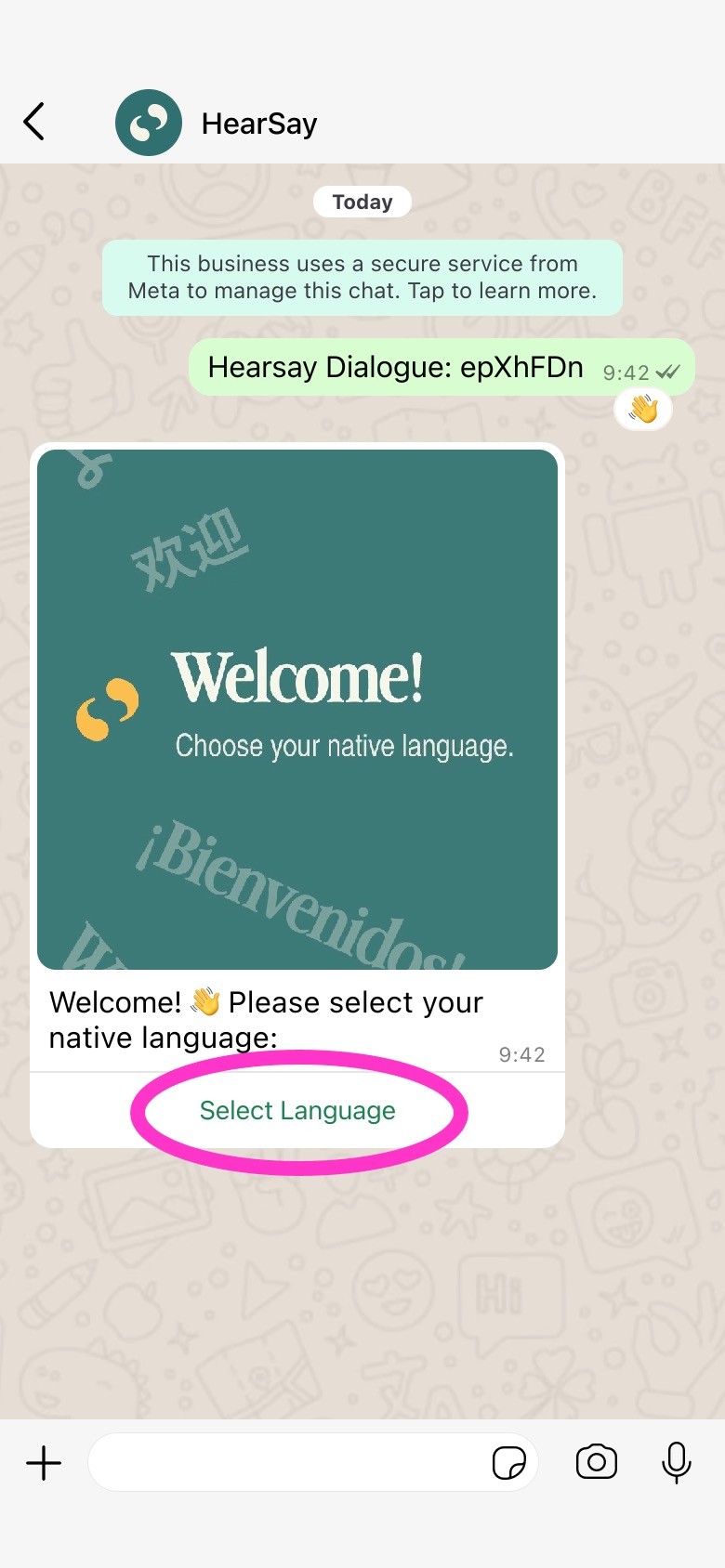
Step 4: Pick your native language.
After a few seconds, a Welcome video will appear.
Tap the button below that says Select Language.
A list will pop up – select your native language.
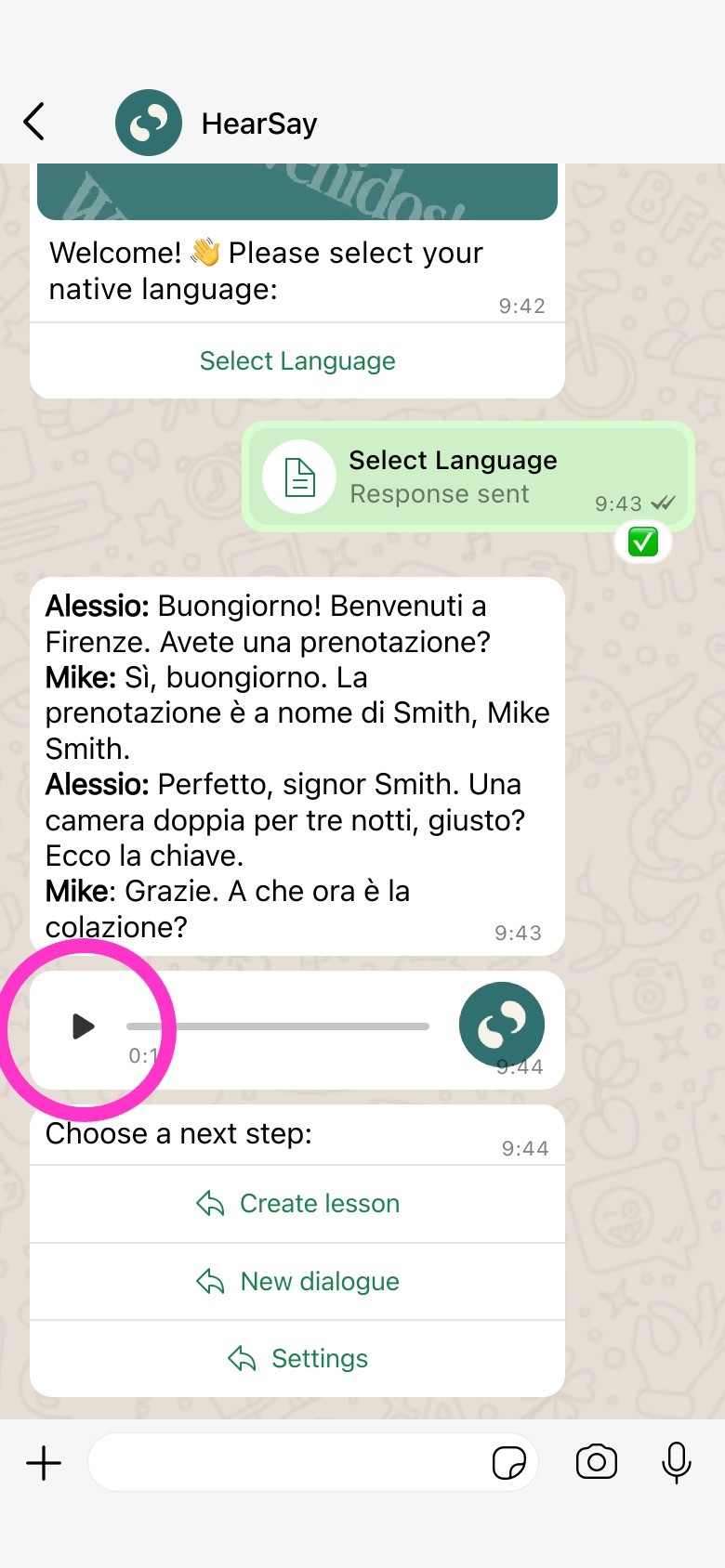
Step 5: Listen to the conversation.
You will get a message with the dialogue script and an audio message with the conversation.
Tap the Triangle (Play) button to listen.
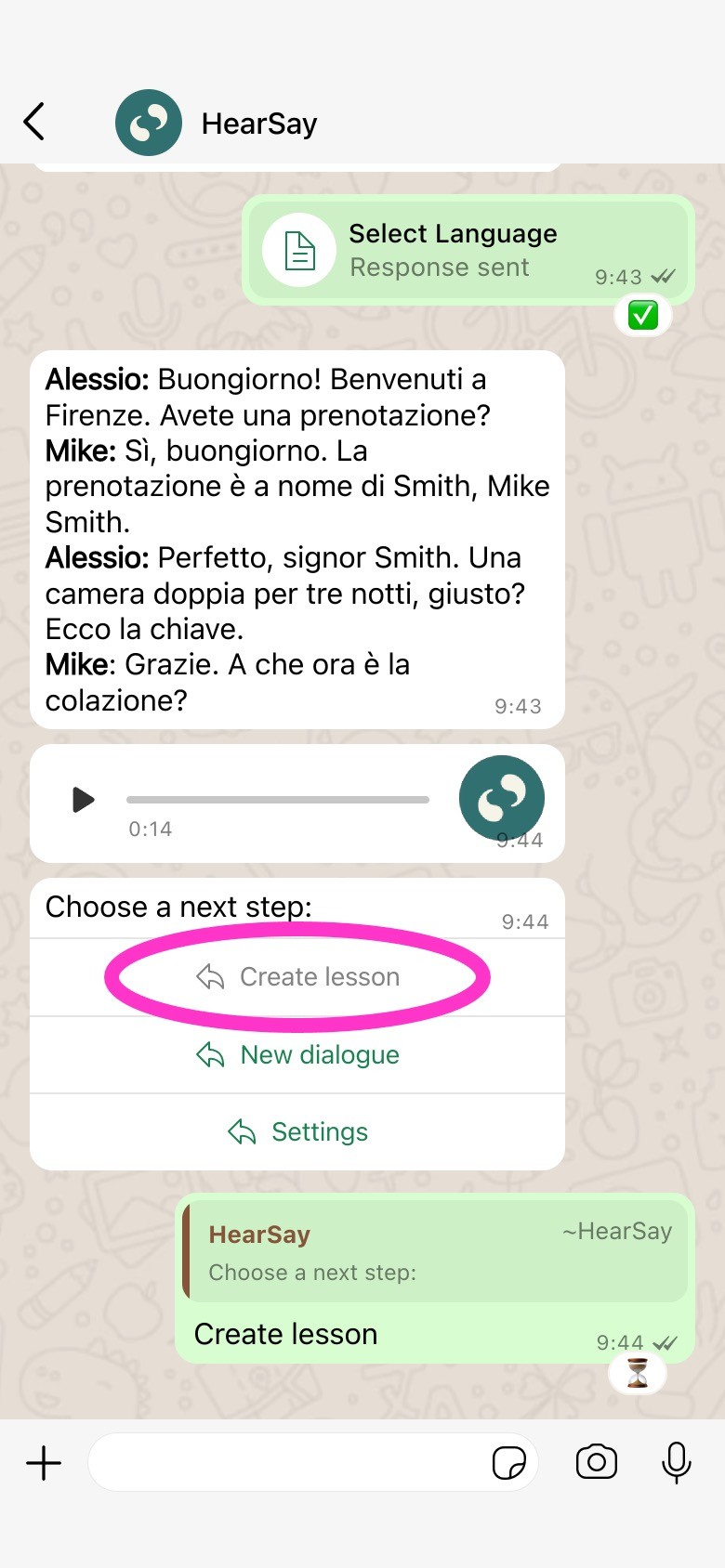
Step 6: Create a lesson.
Tap the Create Lesson button. This tells the system to prepare a personalized practice session just for you.
Note: This can take a minute, you will get a message when it's ready.
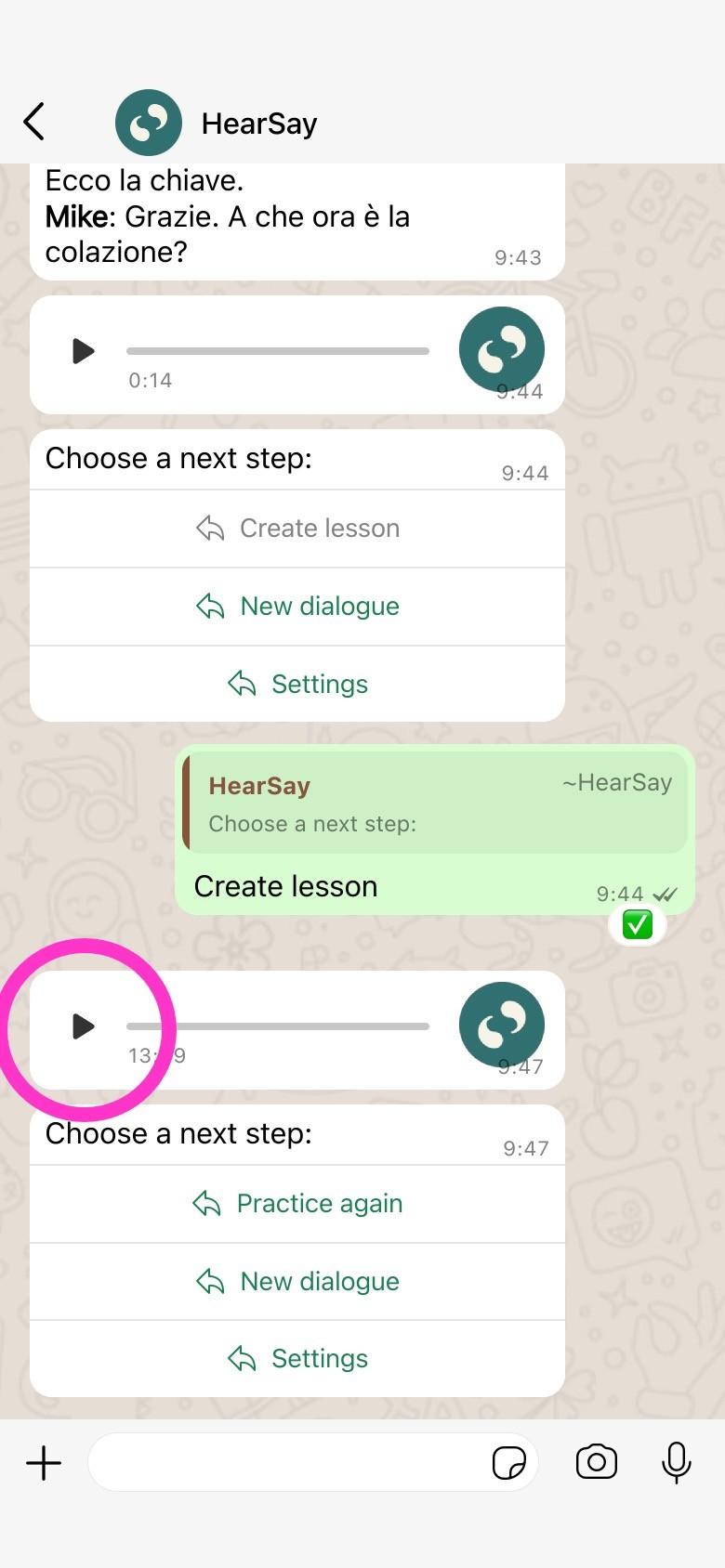
Step 7: Play the lesson.
A new audio message will arrive. Tap the Triangle (Play) button to play your lesson.
You will learn phrases from the dialogue and practice phrases you learned before.
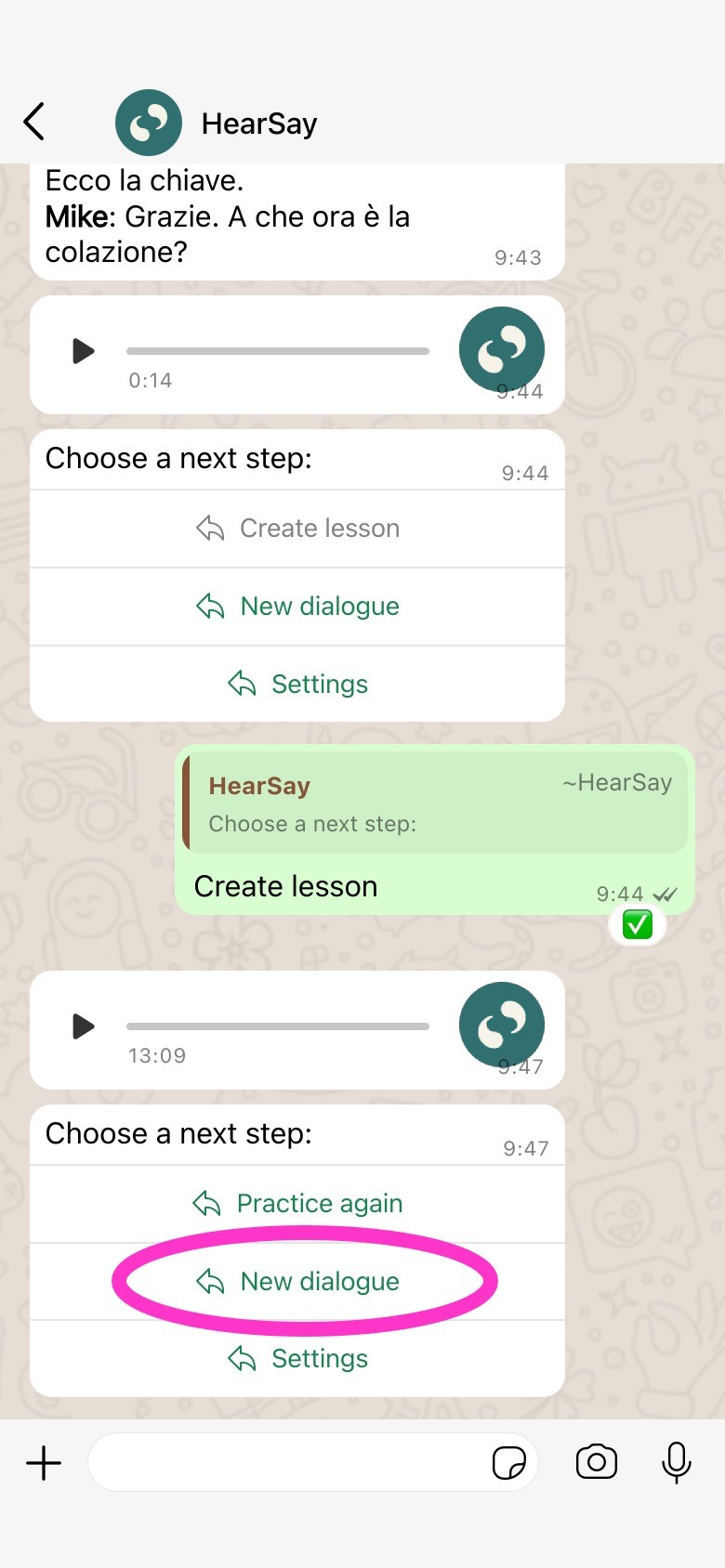
Step 8: Create a new lesson dialogue.
After you finish your lesson, tap New dialogue to start creating a new lesson.
If you want more practice, tap Practice again to create another lesson for the previous dialogue.
Tap Settings to change your level, language, or subscription.
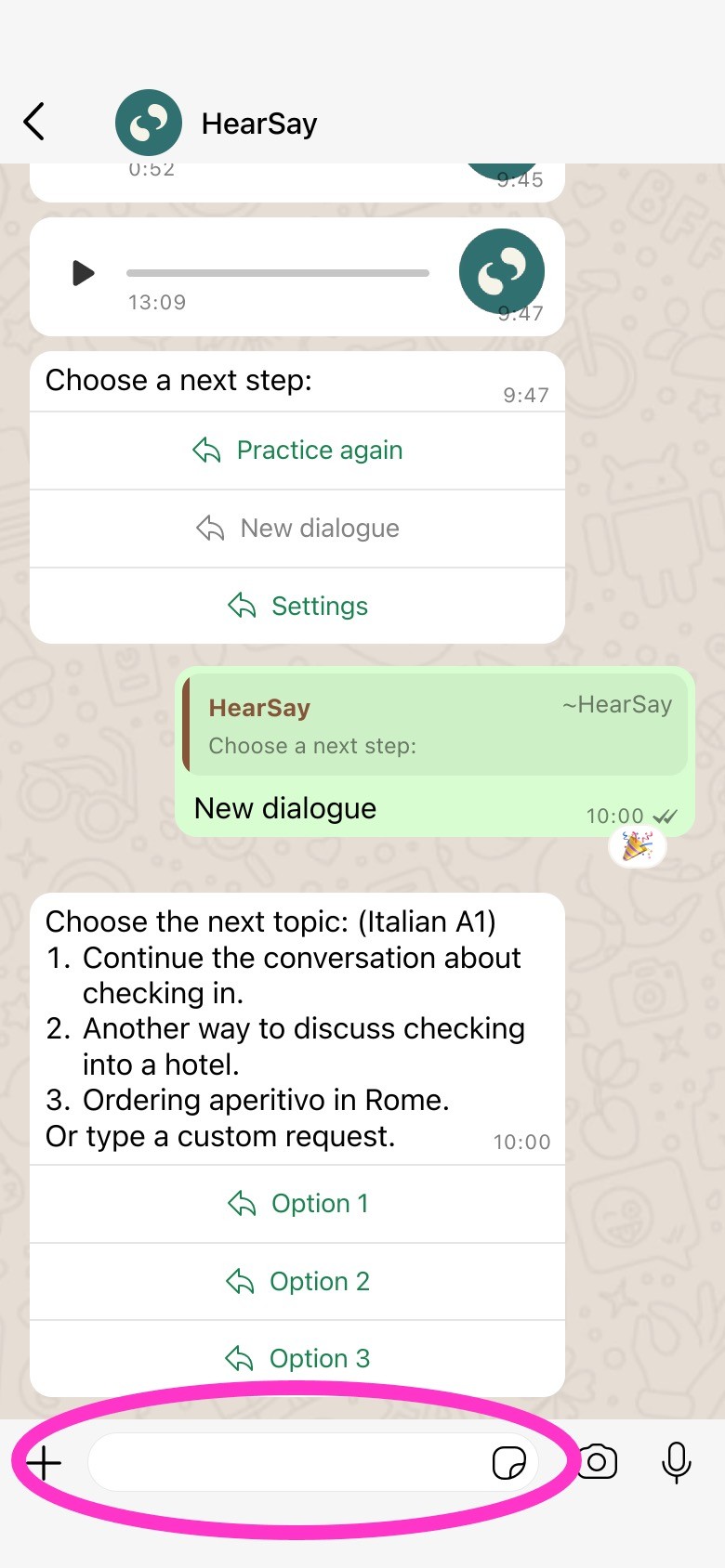
Step 9: Select a lesson topic.
Select one of the suggested options, or send a message describing a custom topic you would like to learn.